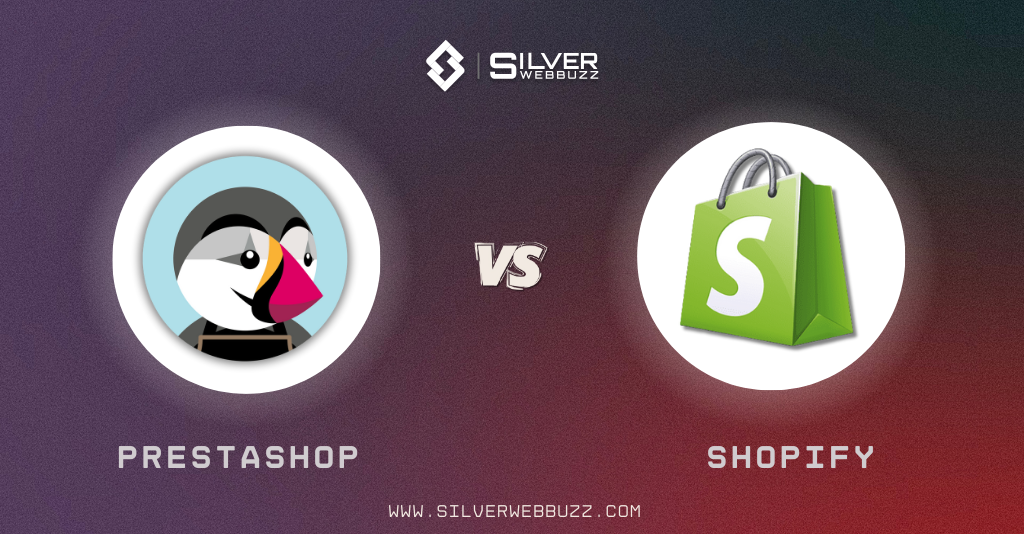
Choosing between PrestaShop vs Shopify is essentially choosing between control and convenience.
- PrestaShop is a self-hosted, open-source ecommerce platform. You install it on your own hosting, configure the environment, and you’re responsible for performance, security, and maintenance. In return, you get deep flexibility and control over the code and infrastructure.
- Shopify is a fully hosted SaaS platform. You pay a monthly subscription, and Shopify manages hosting, updates, and most of the technical overhead. You trade some freedom for ease of use and predictability.
This guide looks at Shopify vs PrestaShop from a practical, merchant-focused angle:
- Setup and ease of use
- Day-to-day store management
- Design, apps, payments, and checkout
- Performance, security, SEO, and pricing
- Which platform suits which type of business
By the end, you should be able to decide whether PrestaShop or Shopify is the better fit for your specific situation, not just in theory.
PrestaShop vs Shopify: Key Differences at a Glance
Before diving into details, here’s PrestaShop vs. Shopify side by side:
| Aspect | PrestaShop | Shopify |
|---|---|---|
| Hosting | Self-hosted: you choose and pay for your own server | Fully hosted: infrastructure managed by Shopify |
| Licensing / Ownership | Open-source, free core software | Proprietary SaaS, monthly subscription |
| Technical Skill Required | Medium to high, especially for setup and scaling | Low to medium; non-technical users can launch quickly |
| Customisation Depth | Very high (full code access, server-level control) | High at theme/app level, limited at core/platform level |
| Cost Structure | Core is free; pay for hosting, modules, dev work | Subscription + apps + payment fees |
| Performance Responsibility | Mostly you and your hosting provider | Mostly Shopify |
| Security Responsibility | Shared: core + hosting + merchant | Mostly Shopify, plus merchant config and access control |
| Best Suited For | Complex, custom, or multi-store setups with dev support | DTC brands, small to mid-size stores, fast-growth teams |
What Is PrestaShop?

PrestaShop is an open-source ecommerce platform written in PHP that you install on your own hosting. The core software is free to download, and you own your store’s code and data.
It behaves more like a traditional CMS: you pick a hosting provider, set up the environment, upload or auto-install the software, connect your domain, and manage updates yourself. That makes PrestaShop attractive for merchants who:
- Want control over hosting and infrastructure
- Need advanced catalog and pricing rules
- Are comfortable working with developers or agencies
In the PrestaShop vs Shopify context, PrestaShop is firmly in the “you control the stack” category.
Top Features of PrestaShop
1. Open-source and self-hosted
You can inspect and modify the source code, deploy it on any compatible hosting, and fine-tune the environment (PHP, database, caching, CDN, etc.). This is valuable if you have specific performance, integration, or compliance requirements.
2. Strong catalog and international features
PrestaShop handles:
- Complex product attributes and combinations
- Advanced pricing rules and tax configurations
- Multi-language and multi-currency out of the box
It’s well suited to stores with large or complex catalogs and international operations.
3. Large marketplace of modules and themes
The Addons marketplace offers thousands of modules and themes:
- Payment and shipping integrations
- SEO, marketing, and analytics
- B2B features, product filters, and more
You can extend PrestaShop significantly without always writing custom code.
4. Flexibility for SEO and front-end
You have detailed control over URLs, meta data, templates, and front-end optimisation. Combined with good hosting and proper configuration, PrestaShop can be tuned to perform well for both users and search engines.
Drawbacks of PrestaShop
1. You are responsible for hosting and maintenance
You (or your provider) must handle:
- Server configuration and uptime
- SSL, backups, and monitoring
- Performance tuning and scaling
If you ignore these, your store performance and reliability suffer.
2. Higher technical barrier
Serious PrestaShop stores usually require developer involvement for:
- Installation and configuration
- Theme and module customisation
- Upgrades and troubleshooting
Non-technical merchants can find this overhead significant.
3. Fragmented and less predictable costs
The core is free, but you pay separately for:
- Quality hosting
- Premium themes and modules
- Development and maintenance
Over a few years, a heavily customised PrestaShop setup can cost as much as, or more than, a mid-tier Shopify stack, just in a different pattern.
4. Upgrades and compatibility can be painful
Major version upgrades can break themes and modules if they aren’t kept up to date. Delaying updates increases security and compatibility risks.
What Is Shopify?

Shopify is a fully hosted ecommerce platform. You create an account, choose a plan, pick a theme, and manage your store from Shopify’s cloud dashboard. Shopify takes care of hosting, core updates, and much of the underlying security.
You pay a monthly subscription for platform access. You extend functionality using:
- Themes from the Shopify Theme Store or third parties
- Apps from the Shopify App Store
- Custom themes and apps built by developers
In Shopify vs PrestaShop, Shopify represents the done-for-you infrastructure model, aimed at merchants who want to sell online without managing servers.
Top Features of Shopify
1. Fully hosted and managed environment
Shopify handles:
- Hosting and uptime
- SSL certificates
- Core software updates
- Platform-level security and scaling
You don’t deal with servers, operating systems, or low-level infrastructure.
2. Clean, beginner-friendly admin panel
The dashboard focuses on real merchant tasks: adding products, managing orders, issuing refunds, creating discounts, and viewing reports. Non-technical users can become productive quickly.
3. Strong theme, ecosystem, and visual editing
Shopify offers a curated theme store plus high-quality third-party themes. Modern themes support:
- Section-based, visual editing
- Global style settings (colours, fonts)
- Layout configuration without touching code
Developers can still dive into Liquid, HTML, CSS, and JavaScript for deeper customisation.
4. App Store with thousands of integrations
The Shopify App Store covers most ecommerce needs:
- Reviews, loyalty, subscriptions
- Email and SMS marketing
- Search, filtering, and recommendations
- Accounting, shipping, and fulfilment
Most major SaaS tools provide native Shopify apps.
5. Built-in payments and optimised checkout
Shopify Payments (where available) integrates tightly with the platform. The standard checkout is fast, mobile-friendly, and heavily optimised for conversion.
Drawbacks of Shopify
1. Ongoing subscription and app costs
You pay a monthly subscription, and many useful apps charge recurring fees. The combined monthly cost can be higher than expected once your app stack grows.
2. Limited control over the underlying platform
You can customise a lot at the theme and app level, but you cannot alter:
- The core platform
- Database structure
- Hosting stack
For most standard retailers this is fine, but it can be restrictive for very complex or unusual requirements.
3. Transaction fees in some setups
Using third-party payment gateways instead of Shopify Payments may incur additional Shopify transaction fees, depending on your region and plan. At higher volumes, these percentages matter.
4. Platform lock-in
You can export key data, but:
- Themes are not portable to other platforms
- App logic is tied to Shopify
- Migrating away requires a rebuild of design and many features
You are tied to Shopify’s ecosystem for as long as you stay on the platform.
Ease of Use: Shopify vs PrestaShop
Ease of use is where Shopify vs PrestaShop diverges most clearly. One hides complexity; the other exposes it so you can control it.
Setup and Onboarding
Shopify
- Sign up, answer a few questions, pick a theme, and you’re in the admin.
- Hosting, SSL, and core configuration are handled automatically.
- Domain, payment, and shipping setup are guided by wizards.
- You can get to a sellable state quickly, even if the store isn’t perfect yet.
PrestaShop
- You need hosting, a domain, and a compatible server environment.
- Installation is done via a hosting auto-installer or manual upload.
- You must configure performance, backups, and other server-side details.
Manageable if you understand hosting basics or have a developer; otherwise, it’s more work than Shopify.
Admin Interface and Learning Curve
Shopify
- Admin is organised around Products, Orders, Customers, Analytics, Marketing, and Apps.
- Wording is simple and focused on everyday tasks.
- A user familiar with modern SaaS tools can pick it up fast.
PrestaShop
- Back office exposes many granular settings alongside core tasks.
- Terminology and structure feel closer to a professional CMS than a pure “beginner tool”.
- Once learned, it’s powerful and efficient, but the initial learning curve is steeper.
Theme Customisation Experience
Shopify
- Modern themes offer a visual, section-based editor.
- You can rearrange blocks, change text and images, and adjust layout from the browser.
- For advanced changes, developers edit the theme code, but most merchants can do a lot without touching code.
PrestaShop
- Basic changes (logo, colours, module positions) are done in the back office.
- Many themes add their own page builders, but quality varies.
- Big changes typically require editing templates and CSS, or utilising a robust page builder module.
From a usability standpoint, Shopify is easier out of the box. PrestaShop can match or exceed it, but only with additional tools or developer help.
Store Management & Day-to-Day Operations
Day-to-day operations are where PrestaShop vs Shopify will affect your workload long after launch.
Product and Catalog Management
Shopify
- Product pages are straightforward: title, description, media, pricing, variants, inventory, and SEO.
- Variants are easy for typical use cases (size, colour), but extreme combinations can get unwieldy.
- Collections can be manual or automated, which keeps merchandising flexible.
PrestaShop
- Product management is more granular: features, combinations, specific pricing, attachments, customisation fields.
- Handles large catalogues and complex variants effectively when properly configured.
- Category and product relationships can be finely tuned, at the cost of a denser interface.
For simple catalogs, Shopify feels lighter. For complex catalogs and pricing, PrestaShop offers more control.
Orders, Customers, and Inventory
Shopify
- Orders list with clear statuses and simple fulfilment workflows.
- Inventory tracking per SKU and location supports multi-location fulfilment.
- Customer profiles include history, notes, and tags. Deeper CRM usually relies on apps.
PrestaShop
- Order grid is highly configurable, with powerful filters and bulk actions.
- Inventory management is flexible but more complex to configure.
- Customer data supports groups and segmentation, and can be extended with modules.
- Shopify focuses on clarity and speed for standard retail flows. PrestaShop leans toward detailed control.
Multi-language, Multi-currency, and Multi-store
PrestaShop
- Multi-language is built in; you can translate products, categories, and interface strings.
- Multi-currency is native with flexible tax options.
- Multi-store support allows several stores (domains, designs, catalogs) from one back office.
Shopify
- Multi-language and multi-currency are supported, often with help from apps and certain plans.
- Multiple storefronts usually mean multiple Shopify stores, with extra management overhead.
If you plan to run several brands or regional stores under one umbrella, PrestaShop’s multi-store architecture is a clear advantage.
Design, Themes, and Customisation
Design influences perception and conversion, but the key question is how easily you can get from a base theme to your brand.
Theme Ecosystem: PrestaShop vs Shopify
Shopify
- Curated theme store with a smaller, vetted set of themes.
- Strong focus on performance, mobile responsiveness, and clean layouts.
- Many themes are designed around proven conversion patterns.
PrestaShop
- Larger, more open marketplace with many vendors.
- Wide variety of industry-specific and feature-heavy themes.
- Quality and performance vary more; you must choose carefully.
Shopify offers a more controlled selection. PrestaShop gives more variety with more responsibility.
Customisation Options
Shopify
- Visual section-based editor for most layout and content changes.
- Global style options are exposed in the theme settings.
- Custom templates and sections can be configured without touching code, within theme limits.
PrestaShop
- Basic customisation via back-office settings and module positions.
- Many themes include page builders; the experience depends on the vendor.
- Deep customisation typically involves editing templates and CSS or using a sophisticated builder.
Shopify is better for non-technical merchants who still want flexible layouts. PrestaShop can go further for those willing to work closer to the code or use advanced builders.
Developer-Friendly Features
PrestaShop
- Full access to code and server environment.
- Developers can create or extend modules, override core behaviours, and optimise the stack.
- Good fit for custom flows, complex integrations, and specific business rules.
Shopify
- Developers work with themes (Liquid) and the APIs.
- You can build private or public apps and custom storefronts.
- You cannot alter the underlying platform or hosting.
For developers, PrestaShop is closer to having your own framework. Shopify offers defined extension points inside a controlled environment.
Apps, Modules, and Integrations
Neither platform is complete without extensions. This is a major factor in Shopify vs PrestaShop.
PrestaShop Modules
- Modules extend functionality for payments, shipping, SEO, marketing, B2B features, and more.
- Quality and support vary by vendor; some modules are excellent, others less so.
- Many modules are sold as one-time licences with optional support renewals.
- You must manage compatibility across core updates, themes, and other modules.
PrestaShop’s module ecosystem is powerful but expects you to curate and maintain your stack.
Shopify Apps
- Apps are curated through the Shopify App Store with reviews and ratings.
- Coverage of common needs is strong: reviews, loyalty, subscriptions, analytics, search, marketing, etc.
- Most apps are subscription-based; monthly fees can stack up.
- Apps typically keep pace with platform changes because Shopify controls the APIs and environment.
Shopify clearly wins for a polished, merchant-friendly app ecosystem. PrestaShop offers more raw flexibility with more responsibility.
Integrations with Third-party Tools
PrestaShop
- Integrations often come as modules or custom code.
- Open-source nature allows deep, bespoke integrations with ERPs, CRMs, logistics, and legacy systems.
- Requires more development and ongoing maintenance.
Shopify
- Many modern SaaS tools ship native Shopify apps.
- Custom integrations rely on APIs and webhooks, not direct database access.
- Cleaner, but limited to Shopify’s rules and rate limits.
Choose PrestaShop if you need maximum freedom and have developers. Choose Shopify if you prefer ready-made connectors and standardised integrations.
Payments, Fees, and Checkout Experience
Payments and checkout directly affect your margins and conversion rates.
Payment Gateways in PrestaShop
- PrestaShop doesn’t force a specific gateway.
- You can integrate a wide range of local and global providers.
- Fees are negotiated directly with each provider; PrestaShop doesn’t add its own transaction fee.
- Setup complexity varies depending on the module and provider.
- You get freedom to optimise for fees and local methods, at the cost of more setup work.
Payment Options in Shopify
- Shopify Payments is the default in supported countries, tightly integrated with the platform.
- Third-party gateways are supported, but may trigger additional Shopify transaction fees.
- Total cost includes subscription, processing fees, and possibly extra Shopify fees.
Setup is simpler, but long-term costs can be higher if you rely heavily on third-party gateways or process large volumes.
Checkout UX and Conversion
Shopify
- Fast, consistent, mobile-first checkout.
- Shop Pay and saved details help repeat customers convert faster.
- Many apps plug into checkout or post-purchase flows for upsells and subscriptions.
- Limited ability to radically redesign checkout on lower-tier plans, but the default is strong.
PrestaShop
- Default checkout is functional but less polished by default.
- You can use modules for one-page checkout, upsells, and layout changes.
- Complete control is possible through templates and modules, but requires effort and testing.
- Performance and UX depend heavily on your theme, modules, and hosting.
For standard retail use, Shopify’s checkout is usually the safer starting point. PrestaShop can beat it with enough customisation and optimisation.
Performance & Scalability
Performance is about how the whole stack is built and maintained.
Speed and Core Web Vitals
Shopify
- Runs on Shopify’s optimised infrastructure with built-in CDN and SSL.
- Most performance issues come from heavy themes, large media, and too many apps.
- You improve speed by using lean themes, limiting apps, and optimising assets.
PrestaShop
- Speed depends on hosting quality, configuration, and theme.
- You can tune everything: server, caching, database, front-end.
- A well-optimised PrestaShop can be very fast; a poor setup will be slow.
Shopify gives a solid baseline with limited depth; PrestaShop gives full control, including the right to misconfigure it.
Handling Traffic Spikes and Growth
Shopify
- Auto-scales at the platform level.
- You don’t resize servers or manage load balancing.
- Good for sudden spikes from campaigns or seasonal peaks.
PrestaShop
- Scaling means upgrading hosting, adding caching layers, and possibly setting up more complex infrastructure.
- Can scale very far with the right engineering, but this is your responsibility.
- If you expect big spikes and don’t have a strong technical team, Shopify is safer.
Database and Catalog Limits
Shopify
- Has explicit and implicit limits (variants per product, API rate limits).
- Fine for most small and medium stores.
- Very large or complex catalogs may hit constraints or require workarounds.
PrestaShop
- No marketing-driven catalog caps; limits are mainly infrastructure-driven.
- Handles large catalogs well when indexing, caching, and hosting are tuned.
Shopify scales predictably within platform limits. PrestaShop scales as far as your infrastructure and optimisation skills allow.
Security and Compliance
Security is shared responsibility on both platforms.
How Secure Is PrestaShop?
- Core software is maintained and patched, but you must apply updates.
- Code is public (open-source), which is good for transparency but unforgiving if you ignore patches.
You must handle:
- Server security and updates
- Backups and restores
- Module and theme hygiene (no nulled or untrusted packages)
- Strong admin access control
PrestaShop can be secure, but only if you actively maintain it.
How Secure Is Shopify?
- Shopify handles platform-level security, infrastructure, and core updates.
- They maintain PCI DSS compliance for the platform and Shopify Payments environment.
You must handle:
- Account security (passwords, 2FA, staff access)
- App and theme choices
- Data handling and configuration
Shopify removes most low-level security work but doesn’t protect you from bad configuration or poor access control.
Data Protection and Legal Compliance
PrestaShop
- You (or your host) control where data is stored and how it’s backed up.
- Easier to enforce specific data residency requirements.
- You must implement cookie consent, privacy notices, and data access/deletion flows.
Shopify
- Shopify controls infrastructure and uses its own data centres and sub-processors.
- Provides tools and APIs for data export and deletion, but you must use them correctly.
- Cookie consent, tracking, and privacy practices are still your responsibility.
On both platforms, legal compliance is about how you configure and operate the store, not just which software you use.
SEO & Marketing Features
If your goal is to outrank competitors for PrestaShop vs Shopify, SEO capabilities matter.
On-page SEO Capabilities
Shopify
- Editable meta titles, descriptions, and URLs (within structural limits).
- Automatic sitemaps and basic canonical handling.
- URL structure is mostly clean, but not fully customisable.
PrestaShop
- Detailed control over metadata and friendly URLs for products, categories, and CMS pages.
- Advanced tweaks oare ften done via SEO modules.
- More flexible URL behaviour and template control.
Shopify is enough for standard SEO; PrestaShop offers more flexibility for technical SEO work.
Content and Blogging
Shopify
- A basic built-in blog suitable for simple content marketing.
- For advanced content strategies, many brands use apps or a separate CMS.
PrestaShop
- Core CMS is limited to serious blogging.
- Most merchants either use blog modules or pair PrestaShop with a dedicated CMS like WordPress.
Neither platform is a full-featured content CMS by default; Shopify wins on simplicity, PrestaShop on flexibility if you assemble the right stack.
Marketing & Growth Tools
Shopify
- Built-in discounts, basic email flows, and marketing tools.
- Strong app ecosystem for reviews, loyalty, referrals, email/SMS, and analytics.
- Many marketing platforms offer deep native integrations.
PrestaShop
- Core support for vouchers, special prices, and notifications.
- Expansion via modules and external tools.
- OpenStack allows integration with almost any marketing system if you have technical resources.
Shopify is better for fast, pre-integrated marketing. PrestaShop is better if you want to design a custom marketing stack.
Pricing: PrestaShop vs Shopify Total Cost of Ownership
Ignore slogans. Look at everything you’ll pay over several years.
PrestaShop Cost Breakdown
- Hosting: mandatory and scales with traffic and performance needs.
- Themes and modules: mostly one-time licences, sometimes paid updates.
- Development and maintenance: setup, customisation, fixes, upgrades, and optimisation.
- Other tools: backups, monitoring, and external services.
Costs are more variable and often project-based.
Shopify Cost Breakdown
Subscription plans: fixed monthly fees.
- Themes and apps: themes are often one-time; apps are usually monthly.
- Payment fees: processing plus any extra Shopify transaction fees when using third-party gateways.
- Other tools: email platforms, analytics, and external services.
Costs are more predictable but accumulate every month.
Long-term Cost Comparison
- For small, simple stores, both can be similar once you factor in time saved on Shopify vs cheaper hosting on PrestaShop.
- For fast-growing brands, Shopify’s higher subscription and payment fees can be justified by reduced technical overhead.
- For complex or B2B setups, PrestaShop can be more cost-effective long term if you would otherwise fight against Shopify’s limits and app fees.
There is no universal cheaper option; it depends on how you operate and what you value.
Support, Community, and Ecosystem
You’re not just choosing software; you’re choosing who can help you.
Official Support Options
Shopify
- Centralised support by email, chat, and sometimes phone.
- Handles platform questions and basic troubleshooting, not your custom code.
PrestaShop
- Free core means no bundled 24/7 support.
- Paid support is available, but most merchants rely on hosting providers, agencies, or freelancers.
- Shopify gives you one vendor to contact; PrestaShop expects you to build your own support network.
Community and Documentation
PrestaShop
- Open-source community with forums, GitHub, and agency content.
- Solutions can be powerful but inconsistent in style and quality.
Shopify
- Official docs plus a large community, agencies, and educators focused on Shopify.
- Information is more standardised and platform-driven.
Agencies, Freelancers, and Experts
Shopify
- A large global pool of shopify web development companies and freelancers.
- Easier to replace partners because the skills are widely available.
PrestaShop
- Strong regional communities and specialised agencies.
- The talent pool is smaller and more technical; the choice of partner matters a lot.
PrestaShop and Shopify: Who Should Use Which?
Now the real decision: not which is better, but which is better for you.
When PrestaShop Is the Better Choice
PrestaShop makes more sense if:
- You want full control over hosting, code, and architecture
- You have (or can reliably hire) technical resources
- Your business model involves complex pricing, B2B logic, or unusual workflows
- You need strong multi-store capabilities from a single back office
- You care about owning your stack and avoiding platform lock-in
In short, you’re willing to accept more technical responsibility in exchange for flexibility.
When Shopify Is the Better Choice
Shopify is the practical choice if:
- You do not want to manage servers or low-level technical tasks
- You need to launch quickly and iterate in the admin, not in the terminal
- Your team is mostly non-technical (marketers, store managers)
- You’re happy to use a modern SaaS stack via apps and integrations
- You’d rather pay predictable monthly fees than coordinate developers for every change
- You value speed and simplicity more than total control.
Migrating Between PrestaShop and Shopify
From PrestaShop to Shopify
- Commonly, when merchants are tired of hosting and maintenance.
- You migrate products, categories, customers, and orders via tools or services.
- You rebuild design and functionality with a Shopify theme and apps.
- You need a proper redirect and SEO plan to avoid losing rankings.
From Shopify to PrestaShop
1. Common when merchants need more control, fewer platform constraints, or a different cost structure.
2. You migrate the same core data, then:
- Set up hosting and PrestaShop from scratch
- Rebuild design and features using themes, modules, and custom development
In both directions, treat migration as a project with planning, mapping, and testing.
PrestaShop vs Shopify: Final Verdict
If you strip away marketing and fan bias, PrestaShop vs Shopify is about one simple decision:
- Do you want a managed, opinionated platform that lets you move quickly with less technical work (Shopify)?
- Or do you want a flexible, self-hosted platform where you control everything but must manage the technical side (PrestaShop)?
Choose Shopify if:
- You want to launch fast with minimal friction
- Your team is non-technical
- You’re comfortable paying for convenience via subscriptions and apps
- Your business model is relatively standard: DTC, retail, simple B2B
Choose PrestaShop if:
- You have complex catalogs, pricing, or workflows
- You care about hosting, infrastructure, and owning your stack
- You have access to competent developers or a solid agency
- You’re planning multi-store setups or advanced customisation
If you’re genuinely unsure and starting from zero, the realistic answer for most small to mid-size merchants is: start with Shopify. If, later, you outgrow its constraints and have the technical resources or partner with professional ecommerce Development Services, you can revisit Shopify vs PrestaShop and consider migrating to PrestaShop or another open-source solution.